Remote desktop features Zoom in. It holds up.
4:4:4, 10-bit, HDR10 and native resolution. Mac and Windows, host and client.
Patents pending
A new kind of streaming technology, built in-house.
Want to license our technology? Talk to us.
Picture
Full colour, full resolution.
10-bit
1,024 shades per channel instead of 256. Gradients stay smooth.
HDR10
Between Mac and Windows. Brightness as on the host, or matched to your screen.
Native resolution
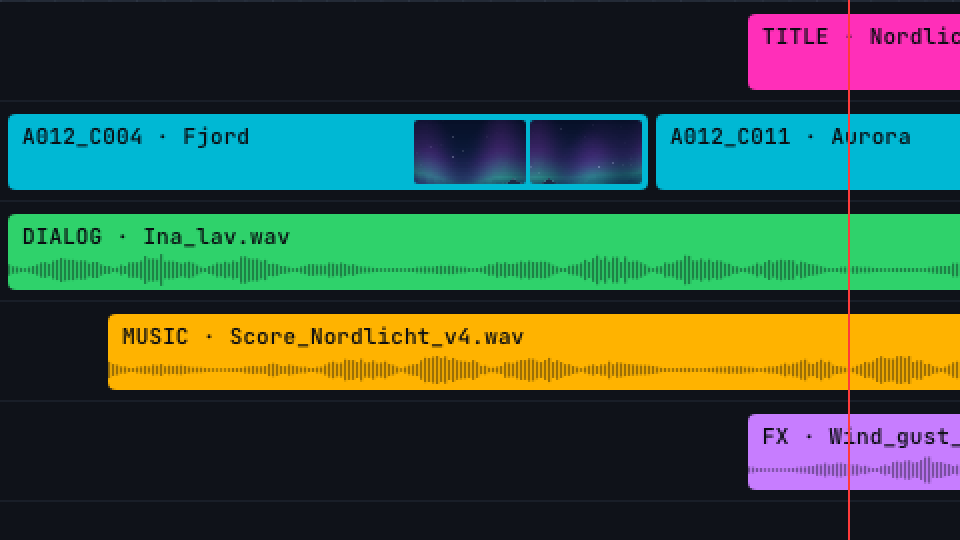
4K arrives as 4K. A Retina Mac sends every pixel.
4:4:4
Red text stays red. Thin coloured lines stay clean.
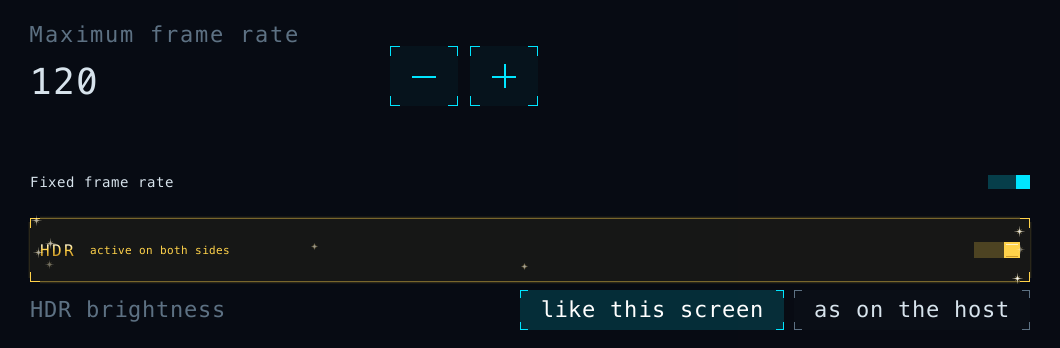
10 to 240 fps
Set the frame rate to suit your display.
Automatic bitrate
Follows your network as you work, with no reconnect.
Native 4K in 4:4:4 and 10-bit at over 60 fps, even with an M1 Mac as host.
Speed & control
Quick when it counts.
Gaming mode
One click for less delay, even mid-session.
Smooth motion
In normal mode, video and scrolling run without judder.
Keeps up
Even a slower computer stays live instead of falling behind.
Mouse capture
The mouse stays in the game. F8 lets it go.
A pointer that feels local
It moves the moment your hand does.
Live stats and benchmark
F9 brings up the numbers. The benchmark tells you what to set.
Your keyboard layout
Accents and umlauts work without remapping. On a Mac host, AltGr becomes Option.
Windows key on a Mac
On a Mac host it works as Cmd: Win+C copies, Win+V pastes.
Print Screen on a Mac
Press it, and the Mac host takes a screenshot.
Everyday
The daily stuff, sorted.
Files by copy and paste
Files and folders up to 4 GB, both ways. Text too.
Sound
Uncompressed stereo from the host.
Pick a screen
If the host has several, you choose which one you see.
Lock screen
Unlock your Mac. On Windows, start right at the sign-in screen.
29 languages
Even the Windows installer.
Updates, your call
Install them automatically, or when it suits you.
Security
Your screen stays yours.
Always encrypted
End-to-end on every connection, with no off switch.
Check the code
If both screens show the same six digits, nobody is in the middle.
No account, no detour
Your computers connect directly. Picture, sound and input never pass through our servers.
You decide who gets in
New devices need the access password, or you click “Allow”.
Your password stays put
The access password itself never crosses the network.
Private clipboard
Hidden entries, such as passwords from a password manager, stay on your computer.
Platforms
Runs on Mac and Windows.
One app, both roles
Every install can connect and share. Mac to Mac and PC to PC too.
Your GPU does the work
Apple silicon, NVIDIA, Intel or AMD. Details in the table below.
No extra drivers
QuadChroma installs no drivers, not even for sound on a Mac.
| Mac | Windows | |
|---|---|---|
| System | macOS 14 or later | Windows 10 or 11, 64-bit |
| CPU | Apple silicon (M series) | x64 (Intel, AMD) |
| Host and client | yes | yes |
| Graphics | 4:4:4 | 10-bit |
|---|---|---|
| Apple silicon | yes | yes |
| NVIDIA | yes | yes |
| Intel (Ice Lake or newer, Iris Xe, Arc) | yes | yes |
| AMD Radeon | yes* | yes |
* AMD: 4:4:4 in SDR up to 1920 × 1200 at 60 fps, in normal mode.
For host and client. Any Mac with Apple silicon and any 64-bit Windows 10 or 11 PC can connect.
Coming soon
Next in 1.x
A free update for every licence.
WireGuard built in
Already on WireGuard? Join your network right from QuadChroma, no extra app.
Connect over the internet
Reach your computers when you’re away, with no VPN to set up.
Large file transfers
Send whole project folders. If the connection drops, it picks up where it left off.
Several hosts at once
Stay connected to more than one computer.
Gamepad and microphone
Plug them in at your desk, use them on the host.
What you need
- macOS 14 or later on Apple silicon (HDR as host: macOS 15)
- Windows 10 or 11, 64-bit (x64)
- Your local network or your own VPN
- A monitor, dummy plug or virtual display on the host
- Internet on the host now and then, for the licence
Technical specifications
- Codecs
- HEVC, H.264
- Colour
- 4:4:4 and 4:2:0, 8 or 10-bit
- HDR
- HDR10: BT.2020, PQ, mastering metadata. Brightness “like this screen” or “as on the host”
- Resolution
- Native, the host’s full pixel count
- Frame rate
- 10 to 240 fps
- Bitrate
- Automatic, or fixed from 2 to 500 Mbit/s
- Audio
- Uncompressed stereo, 48 kHz, host to client
- Clipboard
- Text up to 4 MB. Files and folders up to 4 GB and 10,000 items per copy, both ways
- Input
- Mouse and keyboard, mouse capture (F8), gaming mice at 1000 Hz. On a Mac host: Windows key as Cmd, Print Screen for screenshots
- Lock screen
- Mac: unlock while a user is logged in. Windows (installer version): sign-in screen and UAC prompts
- Permissions
- Mac: Screen Recording and Accessibility. Windows: standard user, admin only to install
- Updates
- From our own server in Germany. Automatic install is optional