Coming to the App Store
QC-Phone · A social project from QuadChroma You speak English. They hear Spanish.
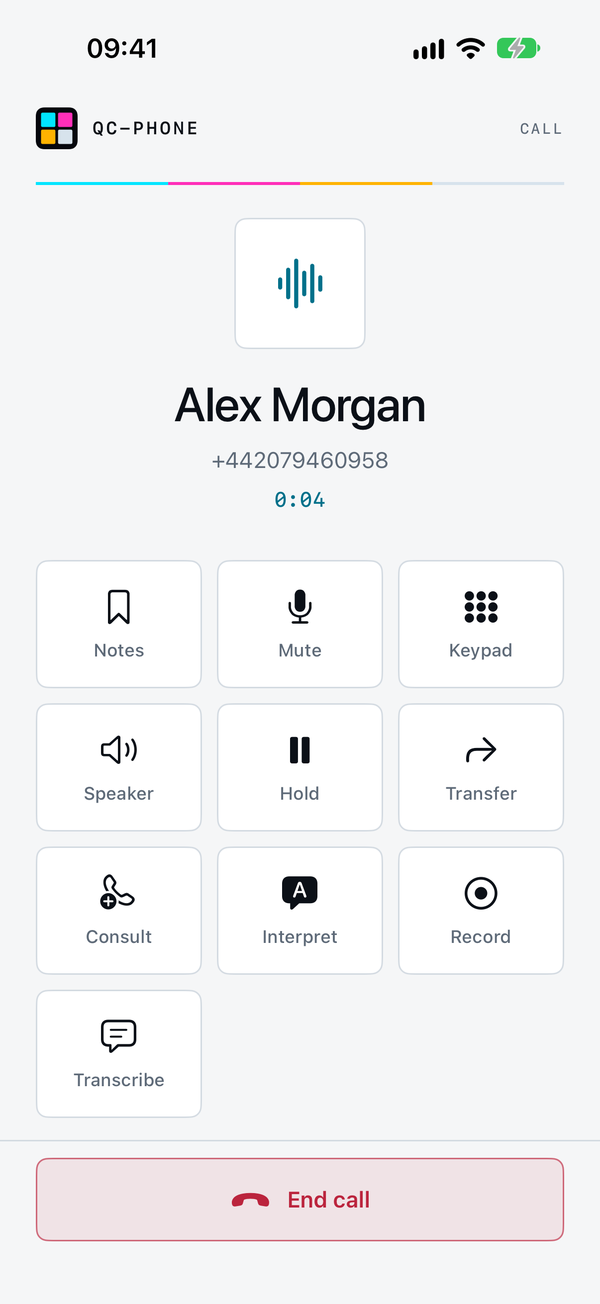
QC-Phone interprets your calls live, right on your iPhone or iPad: 26 languages, any pair, no translation service, no cloud. A native softphone for your own SIP provider or your home landline.
See live translationGet in touch
Free to use, every feature included. No account, no ads, no tracking.
Can’t your iPhone do this already?
Since iOS 26, Apple’s Live Translation translates calls in the Phone app. It needs Apple Intelligence, so an iPhone 15 Pro or later, and supports 10 languages. QC-Phone has its own interpreter for calls over your SIP account or your landline, with up to 26 languages depending on your device.
Apple details per Apple Support, as of 29 October 2026. QC-Phone‘s interpreter needs iOS 26. Setup → Device & AI shows what your device supports.
Live translation · On your device
Translated on your device. Not in the cloud.
Recognition, translation and the spoken voice run locally on your iPhone or iPad. No translation service, no cloud, nothing goes to QuadChroma. Only the call itself travels, over your own SIP connection.
26 Languages for the live interpreter
You speak your language, the other person hears it in theirs, and their reply reaches you in yours. Apple voices for all 26.
26 Languages for live subtitles
What the other person says appears on your screen in your language, sentence by sentence.
47 Languages for the live transcript
Both sides of the call as text while you talk. 21 of the 47 for the transcript only, without translation.
Any of the 26 languages pairs with any other. Apple downloads the language models once, only after you agree, and they need some free storage. From then on, speech processing works without internet, only on your device. Needs iOS or iPadOS 26.
See all 47 languages
Interpreter and subtitles · 26 languages, any pair
- Arabic
- Chinese (Mandarin, Simplified)
- Chinese (Mandarin, Traditional)
- Danish
- Dutch
- English
- Finnish
- French
- German
- Hebrew
- Hindi
- Indonesian
- Italian
- Japanese
- Korean
- Malay
- Norwegian
- Polish
- Portuguese
- Russian
- Spanish
- Swedish
- Thai
- Turkish
- Ukrainian
- Vietnamese
Transcript only · 21 more languages
- Bengali
- Cantonese
- Catalan
- Croatian
- Czech
- Greek
- Gujarati
- Hungarian
- Kannada
- Kashmiri
- Maithili
- Malayalam
- Marathi
- Nepali
- Odia
- Punjabi
- Romanian
- Slovak
- Tamil
- Telugu
- Urdu
Calling
Every call on the right line.
Several lines, one app
Private, work and landline side by side. Switch the active line with a tap.
Real registration status
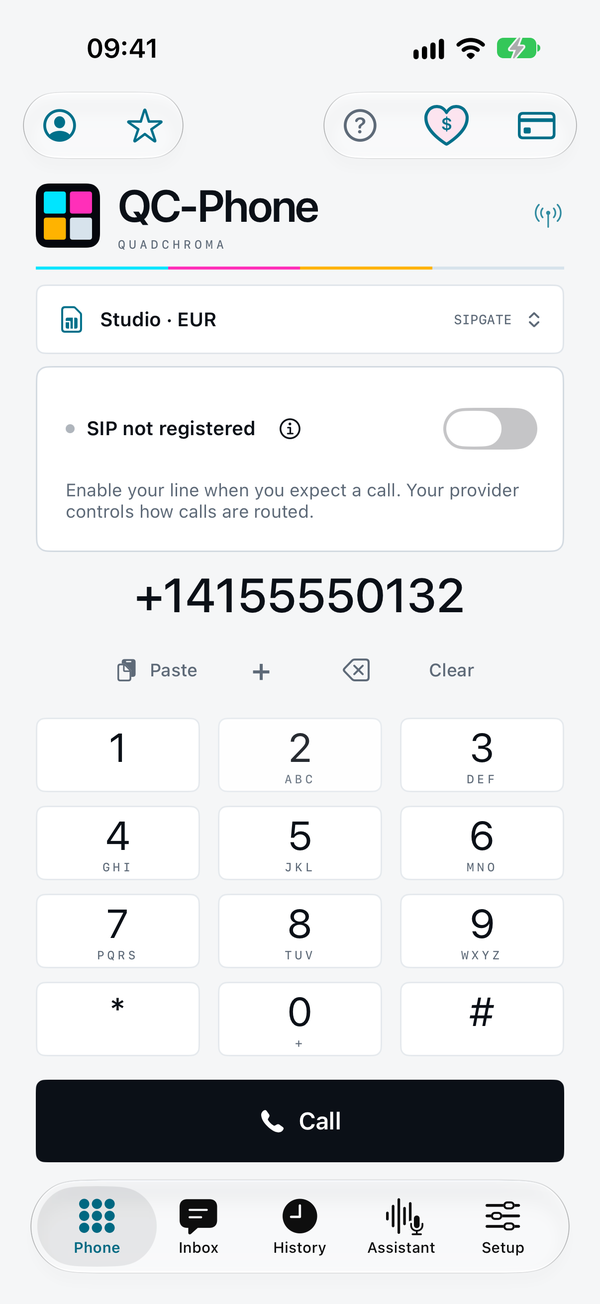
See whether your line is really registered. If it isn’t, QC-Phone tells you why.
Native call controls
Answer and end calls the iOS way. Mute, hold, speaker and key tones built in.
Consult, conference, transfer
Two calls at once, a three-way conference on your device, attended and blind transfer, where your provider supports them.
Favourites and history
Up to 100 favourites and 200 calls, each on its own line. Tap to call back.
Recording with consent
Both sides of a call, recorded on your device as M4A once everyone has agreed.
Homephone
Your landline, on Wi-Fi.
If your internet provider or router gives you SIP credentials, your home number comes to iPhone and iPad. Pick your country and provider or router, enter the credentials, done.
48 countries to choose from
Provider entries for 16 countries, FRITZ!Box in every one, with starting values wherever they are documented.
Wi-Fi only
A home line never uses mobile data. Limit it to your own Wi-Fi if you like.
Back when you’re home
Open QC-Phone on your Wi-Fi and your home line is back, if you left it available.
Providers
26 presets for 15 providers.
A preset fills in server, port, transport and encryption. You add username, password and number.
- Telnyx
- sipgate
- Easybell
- peoplefone
- dus.net
- fonial
- sipcall
- Voipfone
- MessageNet
- VoIP.ms
- Callcentric
- OnSIP
- Twilio
- Plivo
- Zadarma
Any other SIP account can be set up by hand, and every value stays editable. Setup steps with dated sources work offline. TLS and SRTP wherever your provider offers them.

Messages and balances
Straight from your provider account.
With your own API credentials, stored per line in the iOS Keychain. Requests never pass through QuadChroma.
Inbox
SMS, MMS and voicemail texts and Telnyx AI conversations from Telnyx, sipgate and Twilio. Read-only, export as TXT or JSON.
Balance per line
Telnyx, sipgate, Twilio, Plivo and Zadarma, each in its own currency. No misleading totals.
Real costs, honest estimates
Billed call costs from Telnyx, live estimates from the rates you enter. No rate, no price.
On your device
Ready before the first call.
Setup → Device & AI shows which speech and AI features your iPhone or iPad supports, with the reason and the fix when one is missing. Calling works either way.
- Load the language models for your languages in advance, without a call and without the microphone.
- Try the transcript and subtitles with your own voice, no call needed. The audio is not saved.
- Setup questions answered on your device with Apple Intelligence, plus an offline reference with 82 entries.
- Your own voice is never imitated. The interpreter speaks with Apple system voices only.

iPad
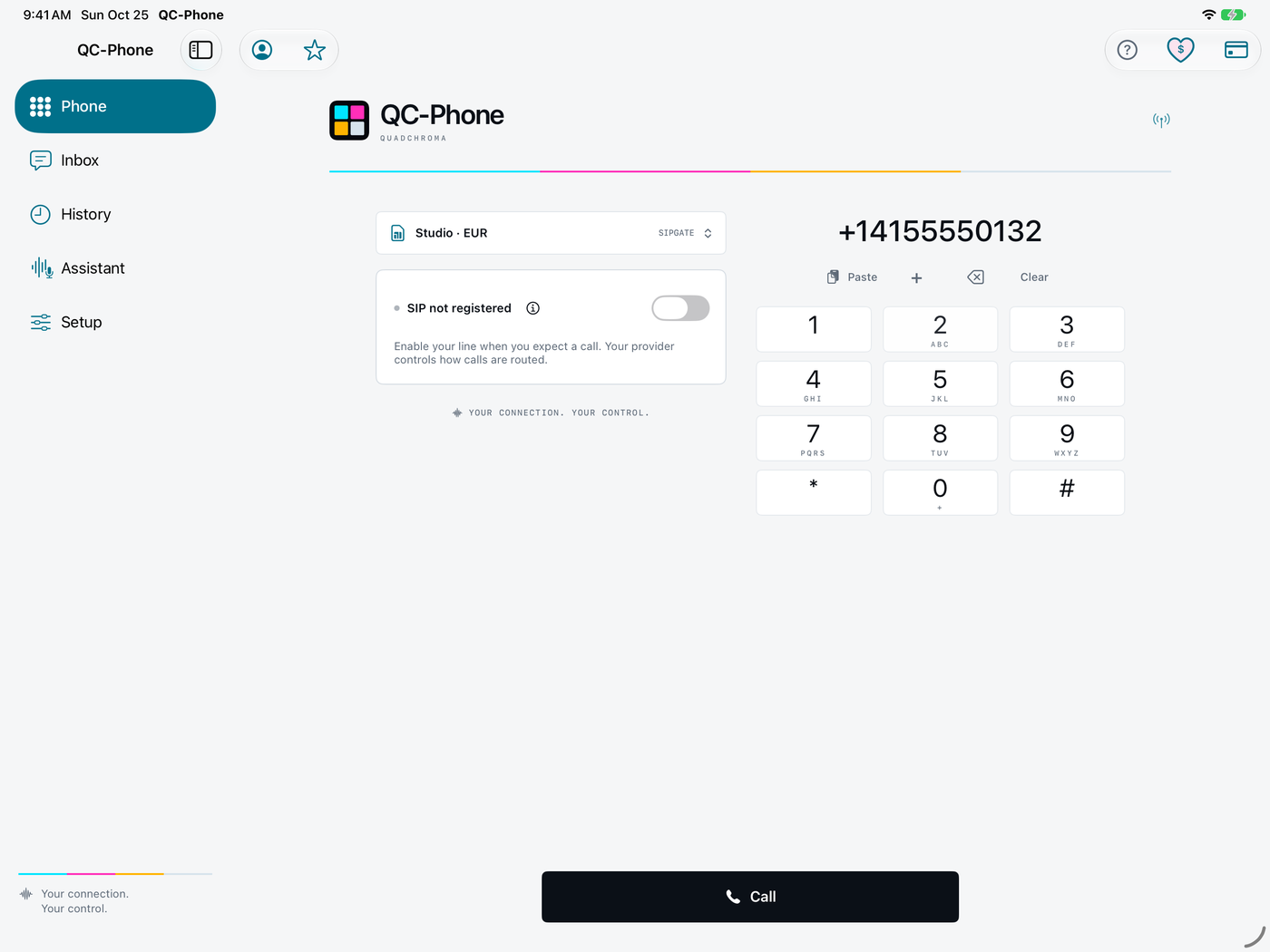
Room to work on iPad.
A sidebar, a two-column keypad and the call screen with live transcript side by side. Portrait or landscape, in a resizable window.
Menus in 12 languages.
QC-Phone follows the language of your iPhone or iPad, help and provider guides included. Light and dark appearance, VoiceOver labels.
- English
- German
- French
- Dutch
- Italian
- Spanish
- Portuguese
- Polish
- Danish
- Swedish
- Norwegian
- Finnish
Privacy
The app sends us nothing.
No account, no server, no push service, no ads, no tracking. The app never contacts quadchroma.tech on its own.
- SIP passwords and API keys stay in the iOS Keychain, on this device only.
- History, notes and recordings stay on your device, excluded from iCloud and device backups.
- Contacts without access: QC-Phone only gets the number and name you pick.
- Files leave the app only through the share sheet, to a place you choose.

What you need.
- For calling and every basic feature: iOS or iPadOS 17 or later, on iPhone XS, iPhone XR, iPhone SE (2nd generation) or newer, or any iPad with iPadOS 17.
- A SIP account with username and password, or SIP credentials from your internet provider or router. Audio uses G.711.
- For the live interpreter, subtitles and transcript: iOS or iPadOS 26 or later, which runs on iPhone 11, iPhone SE (2nd generation) and newer. QC-Phone checks on the device what it supports and shows it under Setup → Device & AI. Calling works either way.
- For the local setup assistant: iOS or iPadOS 26 with Apple Intelligence turned on, on iPhone 15 Pro or Pro Max, any iPhone 16 or newer including iPhone Air, an iPad with M1 or later, or iPad mini (A17 Pro).
- Some free storage for Apple’s language models, downloaded once after you agree.
- For messages and balances: API credentials from your provider.
Good to know.
Calls come in only while QC-Phone is open
QC-Phone has no push service, by design. New calls arrive only while the app is open in the foreground. Calls in progress continue when you switch apps.
No emergency calls
QC-Phone does not support emergency calls. In an emergency, always use your phone’s regular phone app or another phone.
Consent first
Recording, transcription and interpreting start only after you confirm that everyone has agreed. Getting consent where the law requires it is up to you.
How we are building incoming calls for QC-Phone Plus (in development)
Free. With an optional tip.
Every feature is included. If you’d like to support further development, leave a voluntary tip in the app under Support QC-Phone. Apple handles the purchase and shows you the price in your currency first. A tip unlocks nothing. It is not a subscription and not a donation.
Questions
When can I download QC-Phone?
QC-Phone is being prepared for the App Store. We’ll announce the launch on our blog and on Instagram. Once it’s out, this page links to it.
What does QC-Phone cost?
Nothing. Every feature is included, and an optional tip supports development. Your SIP provider charges for calls under its own terms.
Why does QC-Phone need to be open to receive calls?
QC-Phone has no push service and no server of its own, so nothing of ours sits between you and your provider. iOS pauses apps in the background, so new calls arrive only while QC-Phone is open in the foreground with Availability on. Keep screen awake helps while you wait for a call.
Will my provider work with QC-Phone?
QC-Phone is built for standard SIP accounts that sign in with username and password and use G.711 audio. 15 providers have presets, and any other account can be set up by hand. Presets are researched starting values, not a guarantee for every tariff.
Can I use my home landline?
Yes, with Homephone, if your internet provider or router gives you SIP credentials. On a router, set up an IP phone in the router first.
Is my call audio processed in the cloud?
No. Recognition, translation and the interpreter’s voice run on your device, with no translation service, no cloud and no cloud fallback. Apple downloads the language models once, after you agree; after that, speech processing needs no internet. The call itself, translated voice included, reaches the other person over your SIP provider. QuadChroma receives none of it.
Do I need Apple Intelligence?
Only for generated answers in the setup assistant. Calling needs iOS 17 or later. The interpreter, subtitles and transcript need iOS 26, but not Apple Intelligence. Setup → Device & AI shows what works on your device.
What if a language has no voice yet?
QC-Phone shows that the voice is missing, with a button straight to the iOS settings where you add it.
Can I make emergency calls with QC-Phone?
No. QC-Phone does not support emergency calls and refuses emergency numbers such as 112, 911 and 999. In an emergency, always use your phone’s regular phone app or another phone.
For providers and administrators. From the launch of QC-Phone Plus, our server registers lines from these addresses:
63.189.184.139
52.19.166.119
2a05:d014:1171:c100:3b22:78ae:e95:c35d
2a05:d018:176a:8600:8522:363a:4bcc:5099
User-Agent: QC-Phone-Plus. Please exempt them from automatic blocking. If an address changes, the new one will be listed here. Contact: qc-push@quadchroma.tech
Coming to the App Store.
We’ll announce the launch on our blog and on Instagram. Questions, ideas or feedback? Write to social@quadchroma.tech.